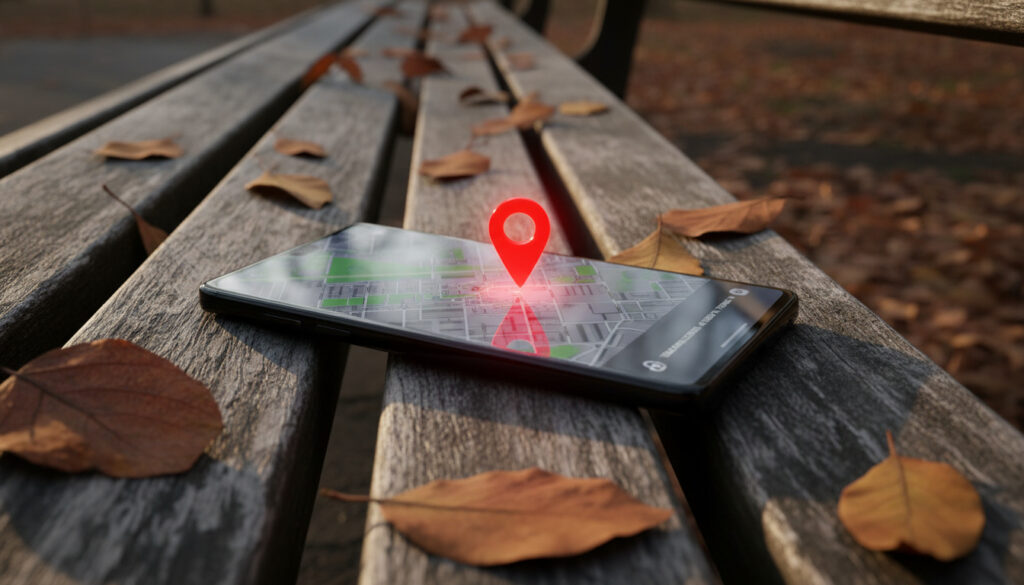
Find My Phone Samsung – Essential Recovery Guide
Losing a smartphone creates immediate anxiety, particularly when the device contains sensitive personal data, banking applications, and irreplaceable photographs. For Galaxy device owners, Samsung provides a native recovery ecosystem that operates through Samsung Find, formerly known as Find My Mobile and now integrated within SmartThings Find.
The service enables real-time location tracking, remote locking, and data erasure, but requires specific pre-loss configurations to function effectively. Without prior activation of location services and offline finding capabilities, recovery options narrow significantly once the device disappears.
This guide examines the complete recovery workflow, from immediate location attempts through preventive configuration, based on official Samsung documentation and verified technical specifications.
How Do I Find My Lost Samsung Phone?
Recovery speed determines success rates. Samsung offers multiple pathways to locate a missing Galaxy device, each suited to different scenarios depending on pre-loss settings and current device status.
| Method | Steps Required | Prerequisites |
|---|---|---|
| Samsung Find My Mobile | 3 | Samsung account logged in, location enabled |
| Google Find My Device | 2 | Location services activated |
| IMEI Tracking | Police report required | Carrier cooperation, legal authority |
| Remote Ring | 1 | Battery above 5%, device online |
Critical factors determining recovery success include:
- Pre-loss setup represents the most significant variable; devices without enabled location services cannot transmit position data.
- Battery status directly impacts tracking duration; the “Send last location” feature captures final coordinates before power loss.
- Network connectivity requirements vary by method; offline finding utilizes Bluetooth networks from nearby Galaxy devices when internet is unavailable.
- Legal IMEI tracking requires law enforcement involvement and carrier cooperation, not consumer-direct access.
- Factory reset operations terminate Samsung account-based tracking immediately.
- Carrier-specific configurations may redirect users to Google Find My Device instead of Samsung’s native solution.
| Feature Specification | Samsung Find | Google Find My Device |
|---|---|---|
| Service Cost | Free | Free |
| Platform Availability | Web and native app | Web and native app |
| Location Accuracy | GPS, Wi-Fi, Bluetooth | GPS, Wi-Fi, cellular |
| Offline Finding Support | Yes (via Galaxy network) | Limited |
| Remote Wipe Capability | Yes | Yes |
| Family Sharing Options | Yes (People tab) | Limited |
| SmartTag Support | Yes | No |
| Account Requirement | Samsung account | Google account |
What Is Samsung Find My Mobile and How to Set It Up?
Samsung Find (SmartThings Find) functions as a comprehensive device management ecosystem extending beyond simple GPS tracking. The service supports Galaxy phones, tablets, Watch3 and later models, Buds Live/Pro/2 series, and SmartTag accessories through a unified interface accessible via smartthingsfind.samsung.com or the native application.
How to Set Up Find My Mobile on Samsung
Configuration requires approximately three minutes and must occur before device loss. Navigate to Settings, tap the Samsung account name at the top, then select Samsung Find (alternatively located under Biometrics and security > SmartThings Find on certain models).
Tap Continue through permission prompts, granting location access all the time when requested. Critical toggles include Allow this phone to be found, Send last location, and Offline finding. The offline feature enables location tracking even when the device powers off or loses internet connectivity by utilizing Bluetooth signals from nearby Galaxy devices acting as network nodes.
Additional protection layers reside within Security and privacy > Lost device protection, where theft protection and identity verification during power-off sequences prevent unauthorized reset attempts.
What Are the Requirements for Samsung Find My Mobile?
Essential requirements include an active Samsung account logged into the target device, location services enabled, and power status. According to Samsung’s official documentation, supported devices include Galaxy phones and tablets running Android 8.0 or higher, Galaxy Watch3 and newer, Buds Live/Pro/2, and SmartTags. Offline finding specifically requires Android 8+ for phones and tablets.
Bluetooth and Wi-Fi activation enhance offline finding precision, though not strictly mandatory for basic online tracking. Carrier-specific variants may redirect configuration to Google Find My Device, requiring Google account credentials rather than Samsung credentials.
What If Find My Mobile Isn’t Enabled or Phone Is Off?
Recovery scenarios grow complicated when preventive measures remain unconfigured or when devices lose power. Understanding tracking limitations helps establish realistic expectations and alternative strategies.
Can I Track My Samsung Phone If It’s Off?
Real-time tracking terminates when a device powers down completely. However, How to use Samsung SmartThings Find explains that the Send last location feature transmits final coordinates when battery levels drop critically or when the device disconnects from networks.
Offline finding offers limited continued visibility for devices merely offline but powered on, utilizing nearby Galaxy devices as Bluetooth beacons. This network requires proximity to other Samsung users and pre-enabled settings. No location data transmits if the battery dies completely or if someone removes the Samsung account.
Factory reset operations permanently disable Samsung Find tracking. Once executed, the device severs account connections, rendering remote location, locking, or wiping impossible through Samsung’s services.
What If Find My Mobile Is Not Enabled?
Without pre-configuration, Samsung’s native tracking remains inaccessible. Users must then rely on Google Find My Device if location services were active under a Google account, or contact law enforcement with the device’s IMEI number for carrier-assisted tracking.
How to Enable Find My Mobile Remotely
Remote activation proves impossible after loss occurs. The service requires physical device access to enable location permissions and account verification. Samsung’s instructional materials confirm that settings must be configured while the device remains in possession.
Alternative Ways to Track Your Samsung Phone
When Samsung’s native ecosystem fails or proves unavailable, secondary methods provide limited recovery pathways. These alternatives operate through different technical mechanisms and authority structures.
How to Track Samsung Phone with IMEI
International Mobile Equipment Identity (IMEI) tracking does not function as a consumer-accessible GPS alternative. According to Samsung’s official guidance, IMEI-based location requires law enforcement intervention and carrier cooperation. Consumers cannot independently trace devices using IMEI numbers through public databases or carrier customer service portals.
Effective IMEI tracking necessitates police reports and formal carrier requests. This process addresses theft investigations rather than simple misplacement and varies significantly by jurisdiction and carrier policy.
Does Samsung Have a Find My iPhone Equivalent?
Samsung Find directly parallels Apple’s Find My iPhone functionality, offering comparable remote locking, location tracking, and data erasure. Samsung Find (SmartThings Find) additionally incorporates SmartTag tracking and family sharing options through the People tab, features not universally available in Google’s alternative.
For users with mixed ecosystems or carrier-mandated Google services, Google Find My Device provides adequate substitution with cross-platform compatibility, though lacking Samsung-specific features like SmartTag integration. Google’s account security documentation provides additional guidance for setup.
How Has Samsung Device Tracking Evolved?
Samsung’s location services have transformed from basic remote management to a comprehensive offline finding network. Understanding this progression clarifies current capabilities and limitations.
- : Samsung launches Find My Mobile as a standalone service offering basic remote lock, wipe, and GPS tracking for Galaxy devices.
- : Integration with SmartThings ecosystem begins, expanding support to wearables and tablets beyond smartphones.
- : Introduction of SmartTags and the underlying offline finding network, utilizing UWB (Ultra-Wideband) and Bluetooth mesh technology from nearby Galaxy devices.
- : Rebranding to SmartThings Find, unifying device tracking under the SmartThings application interface.
- : Circle to Search integration and enhanced theft protection protocols, including identity verification requirements for factory reset operations.
What Definitely Works and What Remains Uncertain?
Distinguishing between verified capabilities and common misconceptions prevents wasted effort during high-stress recovery situations.
| Established Facts | Uncertain or Limited Scenarios |
|---|---|
| Devices transmit real-time locations when powered on, connected to internet, and configured with Samsung Find enabled. | Precise indoor positioning varies by building materials and Bluetooth beacon density. |
| Send last location captures final coordinates before battery depletion. | Offline finding effectiveness depends entirely on proximity to other Galaxy devices with the feature enabled. |
| Factory reset stops all Samsung account tracking immediately. | Recovery success rates after theft remain statistically low, particularly for devices stripped and sold internationally. |
| Google Find My Device serves as a functional backup when Samsung services are unavailable. | IMEI tracking requires legal authority and carrier cooperation; not a consumer DIY solution. |
| Remote locking and wiping require only internet connectivity, not physical proximity. | Remote reactivation of disabled location services remains technically impossible. |
Why Prevention Matters More Than Recovery
Statistical recovery rates for stolen smartphones remain discouragingly low across all platforms. Samsung’s security documentation emphasizes that prevention significantly outperforms post-loss remediation efforts.
Effective prevention requires enabling theft protection mechanisms, activating offline finding before travel, maintaining updated backup codes, and securing Samsung account credentials with two-factor authentication. Legal frameworks regarding device tracking vary by jurisdiction; unauthorized tracking of third parties without consent violates privacy laws in most regions.
The distinction between Samsung Find and Google Find My Device centers on ecosystem integration versus cross-platform flexibility. Samsung’s solution offers superior accessory tracking and family management, while Google’s service provides broader device compatibility across Android manufacturers.
What Do Official Sources Say About Device Recovery?
“Samsung Find requires a Samsung account, the device to be powered on (with offline finding for limited scenarios), and specific settings enabled beforehand.”
— Samsung Support Documentation
“Offline finding uses nearby Galaxy devices as a network for location when powered off or no internet.”
— Samsung SmartThings Find Guide
“Does not work if device is factory reset, Samsung account removed, or offline finding disabled. Cannot track via IMEI alone.”
What’s the Bottom Line for Finding Your Samsung Phone?
Successful Samsung device recovery depends entirely on pre-loss preparation. Users must activate Samsung Find (SmartThings Find), enable offline finding, and maintain Samsung account security before emergencies occur. Once lost, powered-off devices offer only last-known locations, while factory resets permanently sever tracking capabilities. Immediate action using Samsung’s web interface or mobile application provides the highest probability of recovery, supplemented by Google Find My Device for carrier-restricted scenarios.
Frequently Asked Questions
Can I find my Samsung phone after factory reset?
No. Factory reset removes the Samsung account and all associated tracking capabilities. Remote lock and erase functions become permanently disabled, and the device appears as offline in your account.
What is Samsung Find My Mobile?
Samsung Find My Mobile is a device recovery service now integrated into SmartThings Find. It allows location tracking, remote locking, ringing, and data wiping for Galaxy phones, tablets, watches, and SmartTags through Samsung account authentication.
How to track Samsung phone with IMEI?
Consumers cannot track phones using IMEI numbers independently. IMEI tracking requires filing a police report and requesting carrier cooperation. This process addresses theft investigations rather than lost devices and varies by local law enforcement policies.
Can family members help locate my device?
Yes. Samsung Find supports family sharing through the People tab. Add family members via your Samsung account Family group or individual contacts to allow them to view your device locations during emergencies.
Why does Find My Mobile show “offline”?
Offline status indicates the device lacks internet connectivity, has died, was factory reset, or had its Samsung account removed. If offline finding was enabled previously, the device may still transmit Bluetooth signals to nearby Galaxy devices.
Is Samsung Find free to use?
Yes. Samsung Find and SmartThings Find services incur no subscription fees. Standard data charges from your carrier may apply when accessing the service via mobile networks rather than Wi-Fi.
Can I use Google Find My Device instead?
Yes. Galaxy devices support Google Find My Device as an alternative or backup. Some carriers configure devices to use Google’s service by default. Both services can run simultaneously for redundant protection.
More related posts
 AirPods 4 Noise Cancelling – Test Results and Comparisons
 Ballad of Buster Scruggs: Coen Brothers Anthology Review
 World Series Game 6 – No Game Played, Dodgers Clinch Title
 180°C to °F: Celsius to Fahrenheit Conversion Guide
 Head and Shoulders Shampoo: Reviews, Benefits & Dermatologist Tips
 Roy Orbison: Tragedy, Disability, and the Unmarked Grave Mystery
 Canada Revenue Agency Inheritance Tax Bill – Estate Pays, Not Heirs
 Thunder Bay to Toronto Flights – Cheap Directs, Schedules & Deals
